Coding
Coding Courses
Showing 1–12 of 13
Robotics & Automation With Python
Robotics & Automation with Python introduces Students how Python can bring electronic projects to life using the Wokwi ESP32 simulator. They start with simple LED and circuit controls and gradually build smart projects using sensors, motors, displays, and automated decision-making. Through projects such as a Smart Traffic Light, Hand Sanitizer Dispenser, Digital Weather Station, Security Alarm, and Smart Parking System, students learn to turn their ideas into working prototypes while developing coding, problem-solving, logical thinking, and engineering skills.Class 1: Smart Traffic Light Program multiple LEDs with Python to create an automated traffic-light sequence using GPIO, timing, and loops.Class 2: Light & Volume ControllerUse a potentiometer to adjust LED brightness and buzzer volume while learning how analog input controls output levels.Class 3: Smart Hand Sanitizer DispenserUse an ultrasonic sensor and servo motor to automatically dispense sanitizer when a hand is detected.Class 4: Motion-Sensing Smart RoomDetect movement with a PIR sensor and use Python logic to automatically control room lights and a smart door.Class 5: Digital Weather Station – Part 1Read temperature and humidity from a DHT22 sensor and process the sensor data using Python.Class 6: Digital Weather Station – Part 2Display temperature and humidity readings on an LCD using Python functions, conditions, and formatted output.Class 7: Smart Security AlarmBuild a motion-triggered security system using a PIR sensor, buzzer, and LEDs.Class 8: Automatic Night LightUse an LDR to detect light levels and automatically control an LED based on brightness.Class 9: Smart Parking SystemUse an ultrasonic sensor to detect vehicles and control a servo barrier with LED indicators.Class 10: Smart Home Control CenterCombine sensors, outputs, functions, and Python logic to create an integrated home automation system.Class 11: Gas Leak DetectorMonitor gas sensor readings and trigger LED and buzzer alerts when the gas level exceeds a set threshold.Class 12: Smart Robotics ChallengeCombine sensors, actuators, conditions, loops, and functions to design and simulate an original smart automation system in Wokwi.
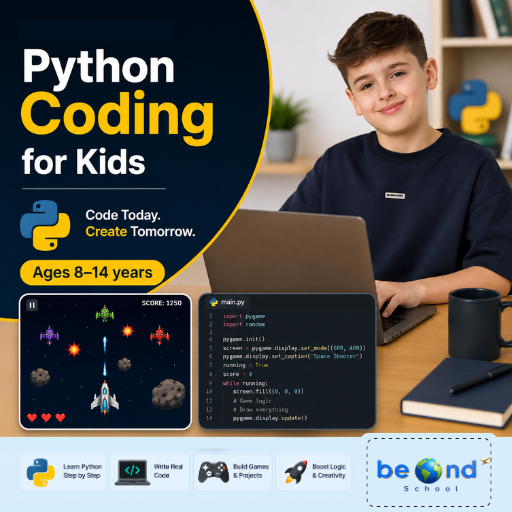
Python for Kids
Live interactive Coding program: Python for Kids. In this BeOnd School live class, students learn through projects, games, and guided practice with expert educators. Highlights include: Learn core concepts, Create hands-on projects, Practice with a live tutor, Showcase your progress. Book a $1 demo class to experience BeOnd School live teaching.
AI Coding for Kids – Discover the Magic of Artificial Intelligence (Ages 6-10)
AI Coding for Kids – Discover the Magic of Artificial Intelligence introduces students to the fascinating world of AI through hands-on game design and creative coding projects. Using face detection, hand tracking, gesture recognition, and machine learning concepts, learners build interactive games that respond to their movements and expressions in real time. Throughout the camp, students develop computational thinking, creativity, and problem-solving skills while experiencing how artificial intelligence powers the technology around us.Class 1: Face Filter Quiz AppBuild an interactive quiz game that uses AI face detection to add fun masks and effects in real time.Class 2: AI Chase GameCreate an exciting chase game where AI tracks facial movements to control gameplay and score points.Class 3: Food Rush AI GameTrain an AI model to recognize mouth movements and use it to catch and eat virtual food.Class 4: Robot Clash — Ping Pong AI GameExplore hand tracking by creating a game controlled entirely through hand movements and gestures.Class 5: Safeguard the AIverseDesign a security system that uses hand shapes and landmark measurements to grant or deny access.Class 6: Reach the PowercoreBuild a gesture-controlled game that uses pinch recognition and physics effects to move objects and complete challenges.Class 7: Guard the PowercoreDevelop a fast-paced defense game featuring hand controls, countdown timers, and live score tracking.Class 8: AI Spacecraft Battle — The Final Challenge!Combine everything learned to create an AI-powered space battle game controlled by hand gestures, scoring systems, and interactive effects.
Beginner AI Workshop for Kids (One-Time Exploratory Class)
Live interactive Coding program: Beginner AI Workshop for Kids (One-Time Exploratory Class). In this BeOnd School live class, students learn through projects, games, and guided practice with expert educators. Highlights include: Learn core concepts, Create hands-on projects, Practice with a live tutor, Showcase your progress. Book a $1 demo class to experience BeOnd School live teaching.
Introduction to machine learning, train an image classifier (animals or objects) using Machine Learning for Kids
Live interactive Coding program: Introduction to machine learning, train an image classifier (animals or objects) using Machine Learning for Kids. In this BeOnd School live class, students learn through projects, games, and guided practice with expert educators. Highlights include: Learn core concepts, Create hands-on projects, Practice with a live tutor, Showcase your progress. Book a $1 demo class to experience BeOnd School live teaching.
Scratch Coding for Beginners: Create Video Games & Animations (Level 1)
Live interactive Coding program: Scratch Coding for Beginners: Create Video Games & Animations (Level 1). In this BeOnd School live class, students learn through projects, games, and guided practice with expert educators. Highlights include: Learn core concepts, Create hands-on projects, Practice with a live tutor, Showcase your progress. Book a $1 demo class to experience BeOnd School live teaching.
Scratch Summer Camp: Build Games, Stories, Music & Fun AI Projects
Live interactive Coding program: Scratch Summer Camp: Build Games, Stories, Music & Fun AI Projects. In this BeOnd School live class, students learn through projects, games, and guided practice with expert educators. Highlights include: Learn core concepts, Create hands-on projects, Practice with a live tutor, Showcase your progress, Camp-style project showcase. Book a $1 demo class to experience BeOnd School live teaching.
Scratch Summer Camp: Build Racing, Maze & Power-Up Video Games
Live interactive Coding program: Scratch Summer Camp: Build Racing, Maze & Power-Up Video Games. In this BeOnd School live class, students learn through projects, games, and guided practice with expert educators. Highlights include: Learn core concepts, Create hands-on projects, Practice with a live tutor, Showcase your progress, Camp-style project showcase. Book a $1 demo class to experience BeOnd School live teaching.
Weekly AI Inventors Course: Train, Test & Build with Teachable Machine
Weekly AI Inventors Course: Train, Test & Build with Teachable Machine Give your child a hands-on introduction to Artificial Intelligence through exciting weekly projects using Google's Teachable Machine. In this creative summer camp, learners train AI models using images, sounds, and body movements, discover how machine learning makes predictions, and build their own interactive AI-powered applications. Through experimentation and project-based learning, students develop computational thinking, problem-solving, creativity, and confidence as young AI innovators.Class 1: What Is Machine Learning?Train your first AI model to recognize and classify different objects using images.Class 2: Improving Model AccuracyImprove your AI by adding more examples and making its predictions more accurate.Class 3: Sound ClassificationBuild an AI model that can listen to and identify different sounds.Class 4: Pose Detection BasicsCreate an interactive project that responds to body poses and movements.Class 5: Testing Model Bias & AccuracyDiscover why AI makes mistakes and learn how to make models fairer and more reliable.Class 6: Exporting ModelsTurn your trained AI model into a real web application that others can use.Class 7: Creative AI Game ProjectDesign and build your own AI-powered game or interactive experience.Class 8: Final Demo WeekCreate and present a fully custom AI application that showcases everything you have learned.
Minecraft Python Quest: Build, Code & Explore
Minecraft Python Course introduces students to the world of real programming through exciting Minecraft challenges and creative projects. Over eight engaging classes, students use Python to command the Agent, automate builds, and create interactive worlds while learning key concepts such as sequencing, loops, coordinates, variables, and functions. Each session combines coding with hands-on exploration, helping learners build confidence, logical thinking, and problem-solving skills in a fun and meaningful way.Trial Class: Robot Builder Rescue MissionMeet the Minecraft Agent and learn how step-by-step Python commands can control a robot helper.Class 1: Magic Roads & Mystery GardensUse loops and coordinates to automate building and create colorful repeating patterns.Class 2: Architect Academy: Dream Mansion ChallengeCombine multiple Python commands to design and build a spectacular dream mansion.Class 3: Ocean Explorer: Aquarium AdventureCode an underwater aquarium by constructing tanks, filling them with water, and adding sea creatures.Class 4: Rainbow Kingdom & Beacon of LightApply loops and color patterns to create giant rainbows and dazzling beacon towers.Class 5: Farmer Tycoon: Mega Farm BuilderAutomate farming tasks by coding large-scale crop fields and organized farm layouts.Class 6: Thrill Ride EngineersUse Python to design and build an exciting roller coaster filled with twists, turns, and ramps.Class 7: Volcano Lab: The Great EruptionBring together your coding skills to create an erupting volcano with dynamic effects and simulations.Class 8: Design Your Own GameDesign your own game and publish
Minecraft Coding Odyssey: Build, Create & Erupt!
Minecraft Coding Odyssey is an exciting journey into the world of coding, where students build amazing creations, automate tasks, and design interactive Minecraft worlds using MakeCode. Through fun, hands-on projects, they develop essential coding, problem-solving, and computational thinking skills while becoming confident digital creators.Class 1: Robot Builder Rescue MissionMeet the Minecraft Agent and learn how step-by-step instructions help a robot build and solve challenges.Class 2: Magic Roads & Mystery GardensUse loops and patterns to automatically create colorful roads, gardens, and repeating designs.Class 3: Architect Academy: Dream Mansion ChallengeBecome a master builder by coding a dream mansion with walls, windows, and a pyramid roof.Class 4: Ocean Explorer: Aquarium AdventureBuild an underwater aquarium using code to create tanks, add water, and spawn sea creatures.Class 5: Rainbow Kingdom & Beacon of LightGenerate giant rainbows and colorful beacon towers by using loops and repeating sequences.Class 6: Farmer Tycoon: Mega Farm BuilderDesign and automate a large farm by creating organized layouts, irrigation systems, and crop fields.Class 7: Thrill Ride EngineersCode an exciting roller coaster filled with twists, turns, drops, and creative track designs.Class 8: Volcano Lab: The Great EruptionCombine your coding skills to create an erupting volcano with lava effects and dynamic simulations.
Arduino Robotics & STEM Lab
Arduino Robotics & STEM Lab: Build and Code! introduces students to the exciting world of electronics, coding, and robotics through hands-on engineering projects. Starting with simple circuits and progressing to sensors, displays, and intelligent systems, learners write real Arduino C/C++ code and discover how software can control physical devices. Along the way, they develop computational thinking, problem-solving, and engineering design skills while gaining the confidence to build and program their own robotic creations.Class 1: ARDUINO & ELECTRONICS BASICS Explore the Arduino board, build your first circuit, and write your first program to control an LED.Class 2: LED CONTROL LAB Learn how code controls hardware by creating blinking patterns and timing-based light effects.Class 3: RESCUE BEACON PROJECT Program an LED to transmit SOS signals using loops and timing functions inspired by Morse code.Class 4: RGB COLOR MIXING Combine coding, electronics, and math to create color-changing lights controlled by an adjustable knob. Class 5: ANALOG INPUTS & POTENTIOMETERS Discover how analog sensors work by reading live inputs and converting them into smooth digital controls. Class 6: TEMPERATURE SENSING Build a temperature-monitoring system that measures conditions and responds automatically to changing values. Class 7: EMOJI THERMOMETER DISPLAY Create an interactive thermometer that uses logic and symbols to display different temperature states. Class 8: SOUND SENSOR BASICS Use a sound sensor to detect noise levels and build a system that reacts to changes in the surrounding environment.