
Beondschool

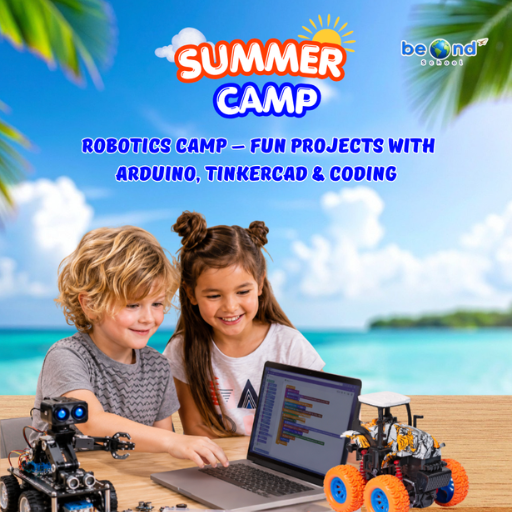
Arduino Robotics & STEM Lab Build and Code an Obstacle-Avoiding Robot

What does it actually take to build a robot? In this hands-on Arduino course, kids find out — by doing it. Starting from a single blinking LED and working all the way up to a fully coded obstacle-avoiding robot, every lesson adds a new layer: wiring, coding, sensors, logic, and engineering thinking. No robotics kit required — just real components, real challenges, and a real robot at the finish line.

Students write actual C/C++ Arduino code, work with sensors and motors, and apply math and science concepts they know from school — except here, those concepts control something physical. Every class builds on the last, turning beginners into builders, one circuit at a time.

Class-1
ARDUINO & ELECTRONICS BASICS
Identify Arduino board parts: pins, power, USB, and microcontroller
Build a complete circuit on a breadboard with an LED and resistor
Upload your very first sketch — and watch the hardware respond
 
Class-2
LED CONTROL LAB
Use digitalWrite() and pinMode() to switch LEDs on and off
Add delay() to control timing and create simple blink patterns
Understand the cause-and-effect loop: code → signal → hardware reaction
 
Class-3
RESCUE BEACON PROJECT
Program short and long blinks to spell out SOS in Morse code
Use loops and timing functions to repeat a distress signal automatically
Understand sequencing: how order and timing change the message entirely
 
Class 4:
RGB COLOR MIXING
Wire an RGB LED and control each channel (red, green, blue) with code
Connect a potentiometer knob and read its value with analogRead()
Map knob ranges (0–1023) to color values (0–255) — math meets hardware
 
Class 5:
ANALOG INPUTS & POTENTIOMETERS
Distinguish analog vs. digital signals and when each is used
Read a potentiometer’s position and print live values to the Serial Monitor
Use map() and constrain() functions to scale inputs for smooth control
 
Class 6:
TEMPERATURE SENSING
Connect a temperature sensor and convert raw voltage into Celsius readings
Store and update temperature data using variables in your code
Write if/else conditions to trigger LED or Serial alerts at set thresholds
 
Class 7:
EMOJI THERMOMETER DISPLAY
Define temperature ranges and map them to reactions (cold / warm / hot)
Chain multiple if / else if / else blocks to handle every scenario
Output emoji-style symbols to the Serial Monitor for a live thermometer display
 
Class-8
SOUND SENSOR BASICS
Wire a sound/microphone sensor module and read its analog output
Set a noise threshold and trigger an LED when the room gets too loud
Visualize signal spikes in the Serial Plotter — see sound as live data

1. Write Arduino C/C++ code using logic, conditions, functions & timing to control real hardware
2. Apply Math & Science
Use ranges, ratios, angles & proportional reasoning alongside electricity, motion & sensing
3. Think Like an Engineer
Test, debug, and improve robot designs independently — building real problem-solving confidence
4. Build a Real Robot
Finish with a working obstacle-avoiding robot built and coded entirely from scratch
Arduino Robotics & STEM Lab Build and Code an Obstacle-Avoiding Robot

Scroll to Top